Navigation redesign

How might we repackage our 7 products into one holistic experience that encourages self-discovery of features, upsell paths, and product-led growth?

How might we repackage our 7 products into one holistic experience that encourages self-discovery of features, upsell paths, and product-led growth?

How might we repackage our 7 products into one holistic experience that encourages self-discovery of features, upsell paths, and product-led growth?

Scope

  • Timeline: 6 months long, with 4 major releases

  • My role: I identified the business need for the project, then PM'ed the project, led/mentored designers, managed stakeholders, and led all rollout communication

  • Team: 3 other designers (+ collaboration with entire design team), 4 engineers

  • Coordinated with 9 product squads and all needed departments, in research and rollout (Ex: Sales, CS, Marketing)

Company

HackerOne is a 2-sided marketplace, with Enterprise & SMBs on one side and white-hat hackers on the other. Through our platform, 7 products, and services, we broker cybersecurity deals between the two sides.

"Eve looked at what needed to be done without being told. Then she recruited the needed teams, initiated, and led it. She sees holistically what improvements are needed to match where we need to go as a product."

Leadership Alert!

"Eve looked at what needed to be done without being told. Then she recruited the needed teams, initiated, and led it. She sees holistically what improvements are needed that match where we need to go as a product."

"Eve looked at what needed to be done without being told. Then she recruited the needed teams, initiated, and led it. She sees holistically what improvements are needed to match where we need to go as a product."

Before - Issues & Opportunities

The impact

The design team was beyond eager to give our navigation a facelift, but it wasn't viable to prioritize it. Then, HackerOne decided to redefine itself from a company with 7 products, to a platform company. They even created a new category 'Attack Resistance Management'. The issue I raised was that our information architecture didn't support this vision; our products were not discoverable inside the platform, and key value offerings had very inconsistent flows. Cognitive load was high and product-led-growth had no intuitive pathways . I presented a scope & project plan to stakeholders and got the greenlight!

The impact

The design team was beyond eager to give our navigation a facelift, but it wasn't viable to prioritize it. Then, HackerOne decided to redefine itself from a company with 7 products, to a platform company. They even created a new category 'Attack Resistance Management'. The issue I raised was that our information architecture didn't support this vision; our products were not discoverable inside the platform, and key value offerings had very inconsistent flows. Cognitive load was high and product-led-growth had no intuitive pathways . I presented a scope & project plan to stakeholders and got the greenlight!

The impact

The design team was beyond eager to give our navigation a facelift, but it wasn't viable to prioritize it. Then, HackerOne decided to redefine itself from a company with 7 products, to a platform company. They even created a new category 'Attack Resistance Management'. The issue I raised was that our information architecture didn't support this vision; our products were not discoverable inside the platform, and key value offerings had very inconsistent flows. Cognitive load was high and product-led-growth had no intuitive pathways . I presented a scope & project plan to stakeholders and got the greenlight!

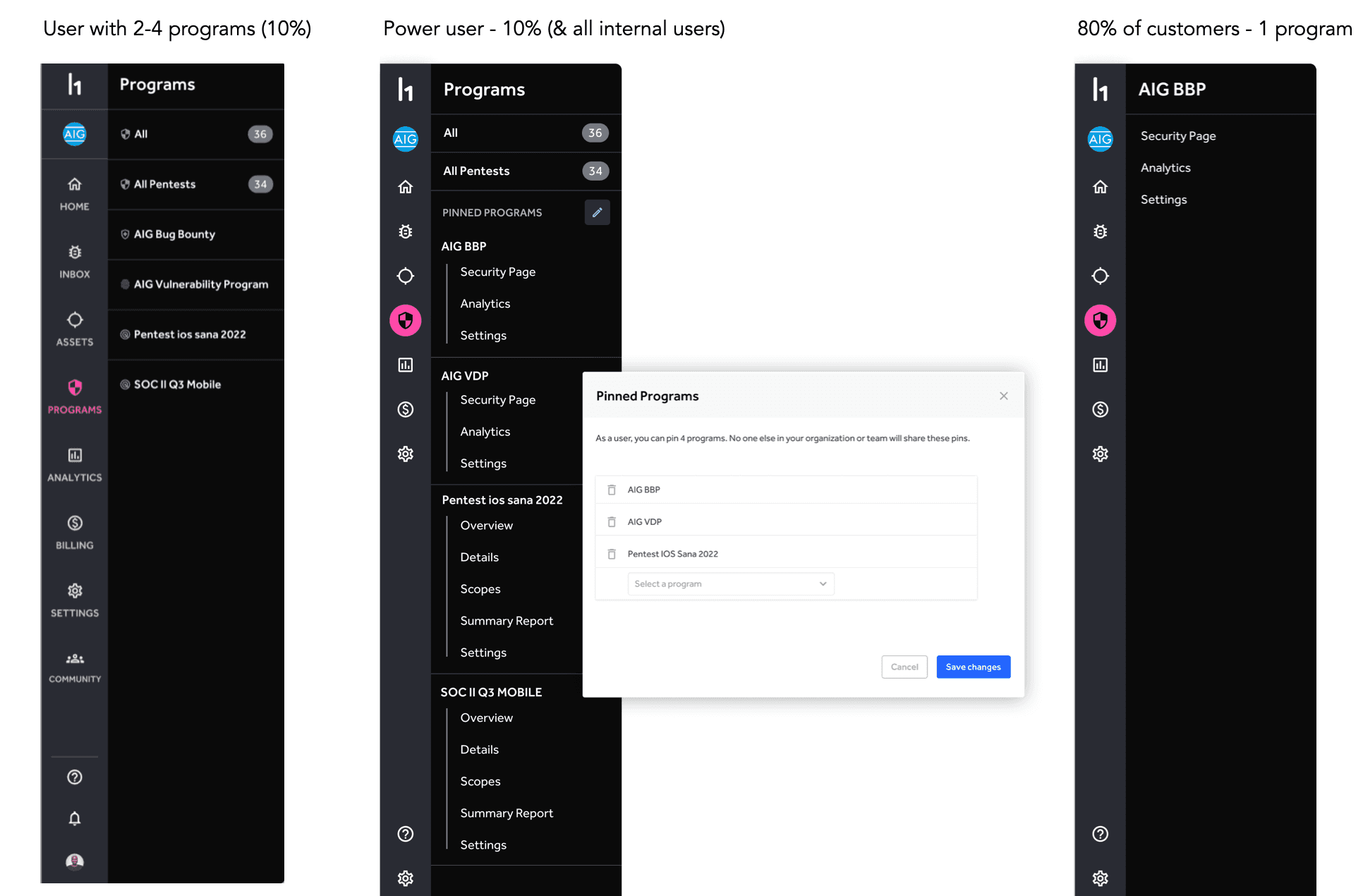
Too many single-program customers

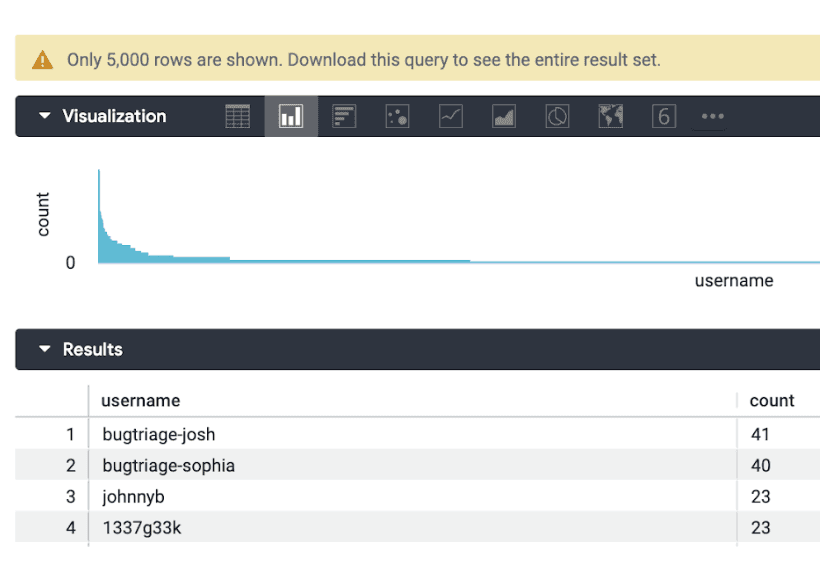
Our analytics told us that 70% of customers are only using our flagship product!
- 70% have 1 program 
- 18% have 2 programs 
- 4% have 3 programs 
- 12 users see 20+ programs - gotta love those outliers!
Stakeholder Quote

Our information architecture is like a Tokyo neighborhood, where pages are placed based on when they were created, and not based on a solid architectural plan.

But what do the users say?

Qualitative

I led a research plan, recruitment, and execution, with 20+ candidates to uncover insights about how the navigation was working/not-working today. We started very open ended, trying to uncover their frustrations with our platform, the main JTBD that they 'hire' us for, and what other workplace tools they use, love, and why. I leaned on our stronger EMEA UXR designer to co-execute this part.

Quantitative

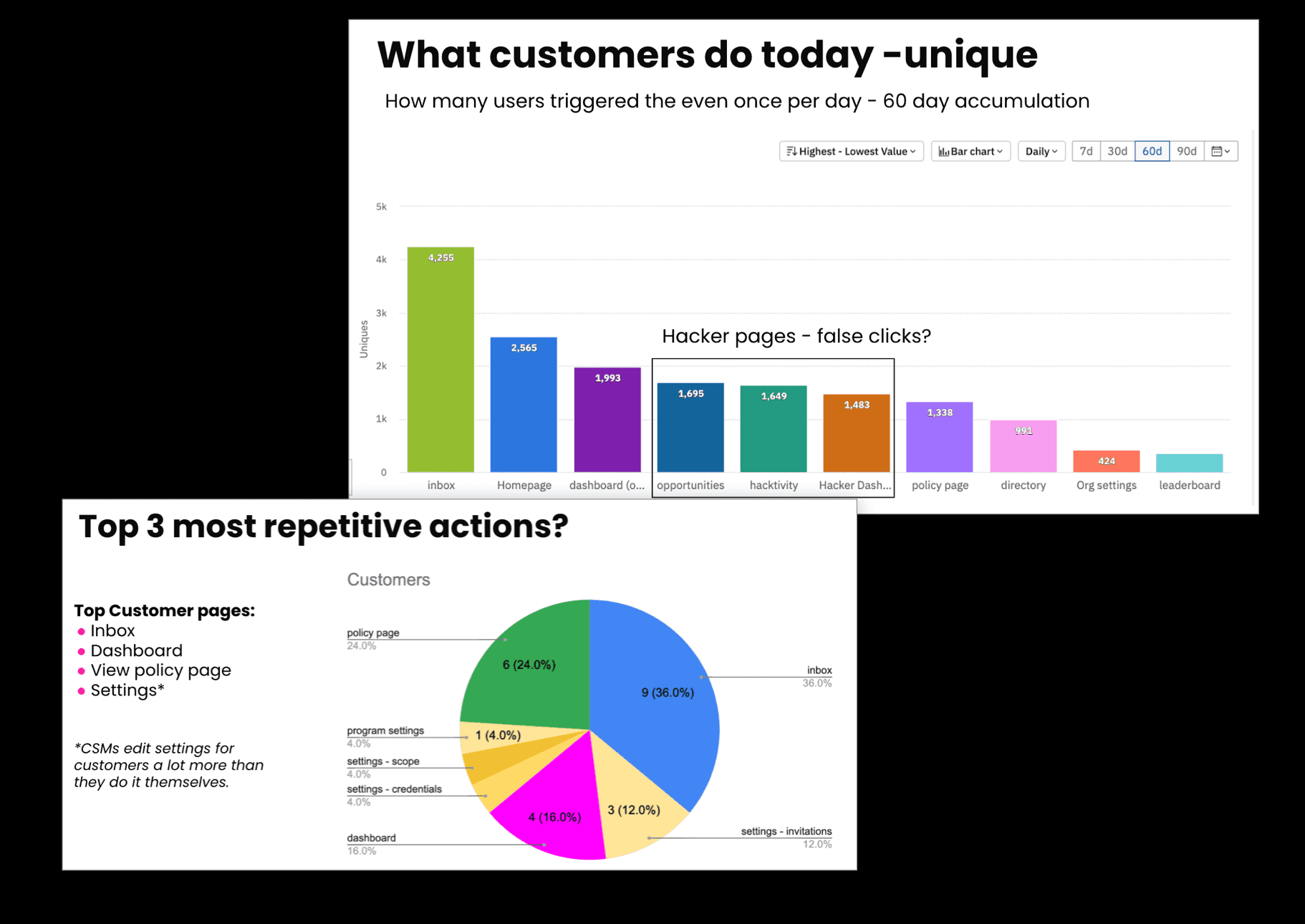
We looked at click-paths and user behavior in the product with data analysts. We wanted to see what flows were most common, what pages most visited, for what durations, and what pages were often connected in a common workflow.

Card sorting to Tree testing

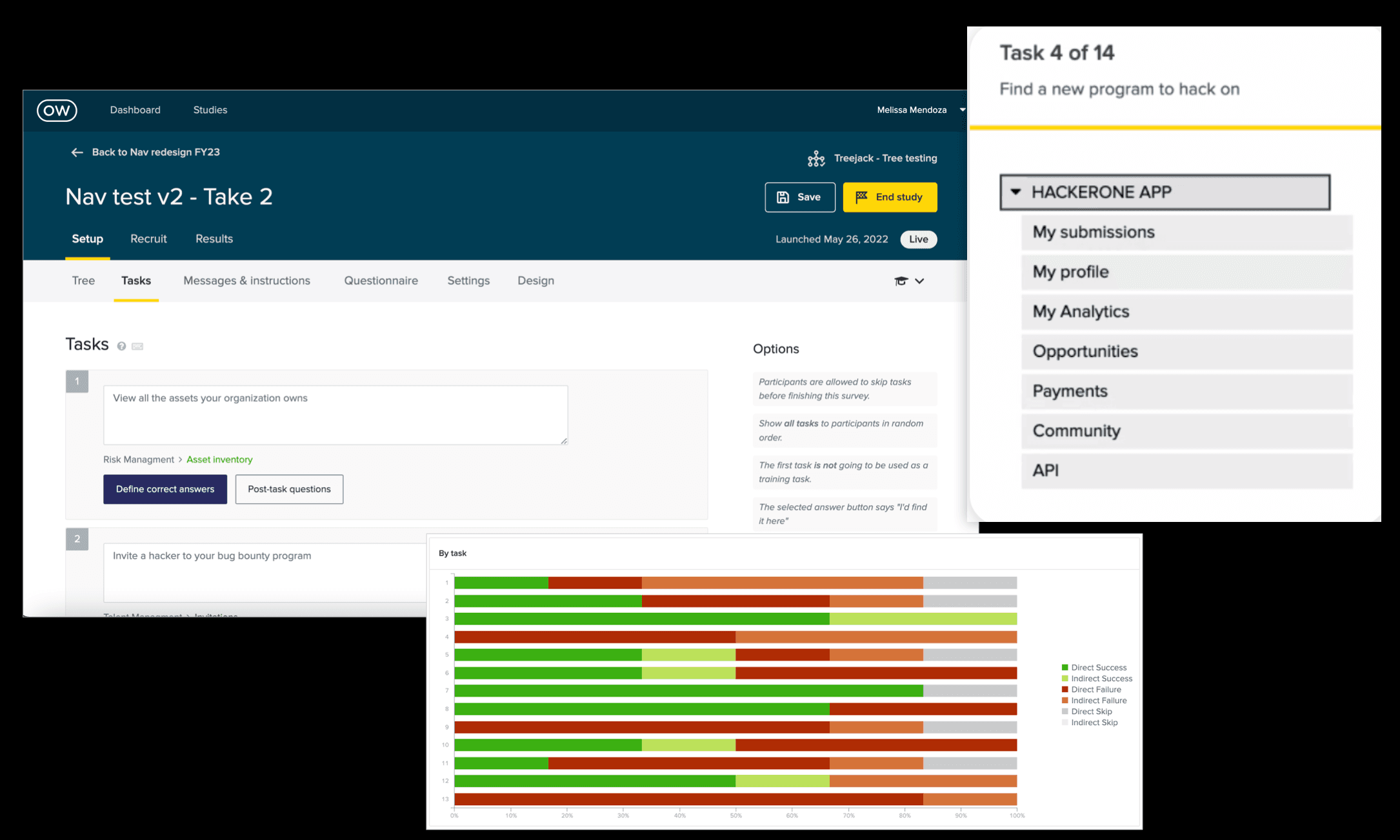
When we were still early in research, we did open card sorting - letting interviewees completely redesign the IA however they pleased. Then later, based on research, we hypothesized a new information architecture tree and tested it out. A researcher on our design team led the analysis and tree-test creation for this part.
Usability testing

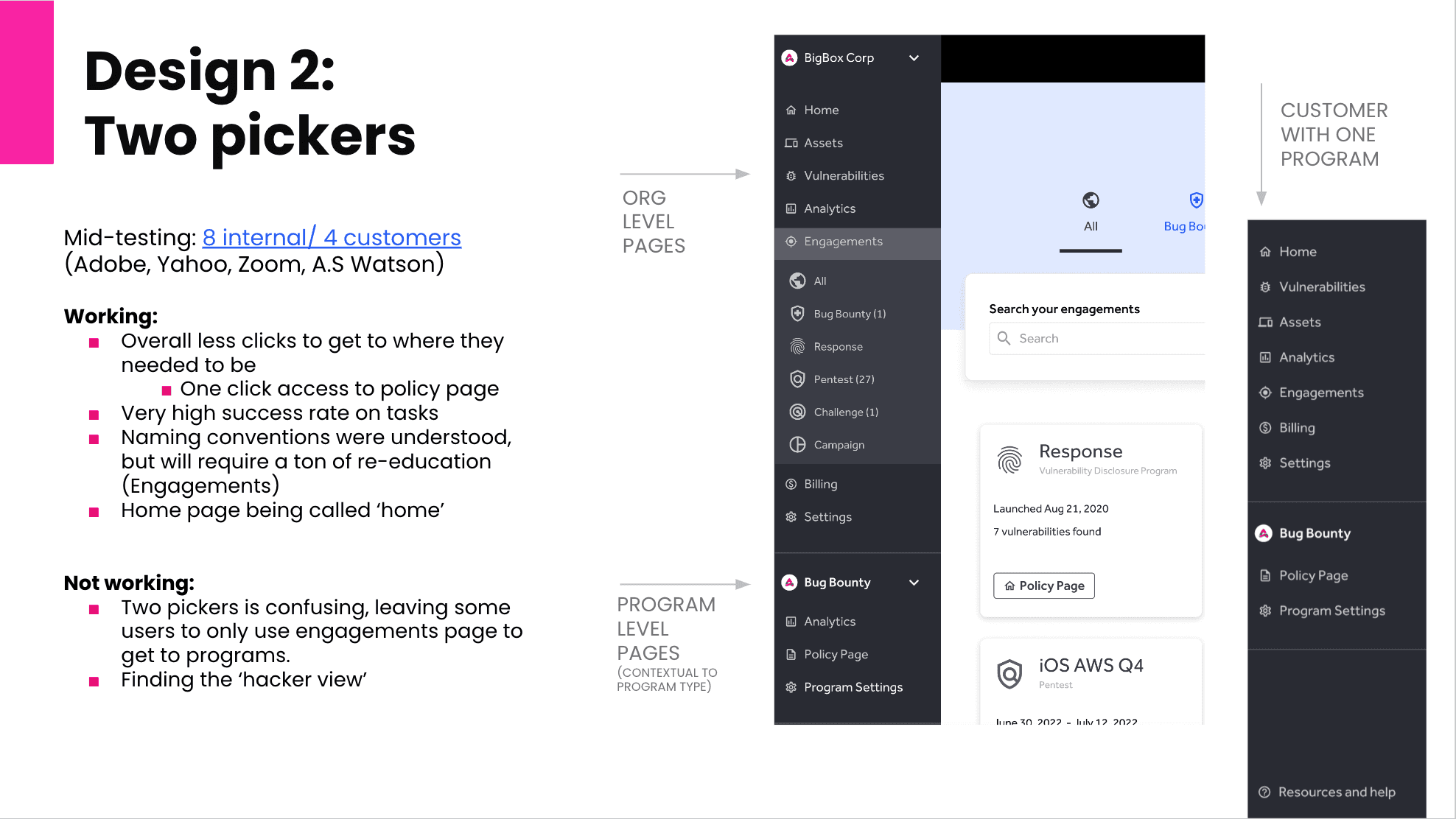
Starting with a wireframe fidelity that was inspired directly from the tree-testing, we kept building the fidelity as we tested in rounds. We shared back to stakeholders what was working and not working with each prototype.
Prototypes to iron out interaction models

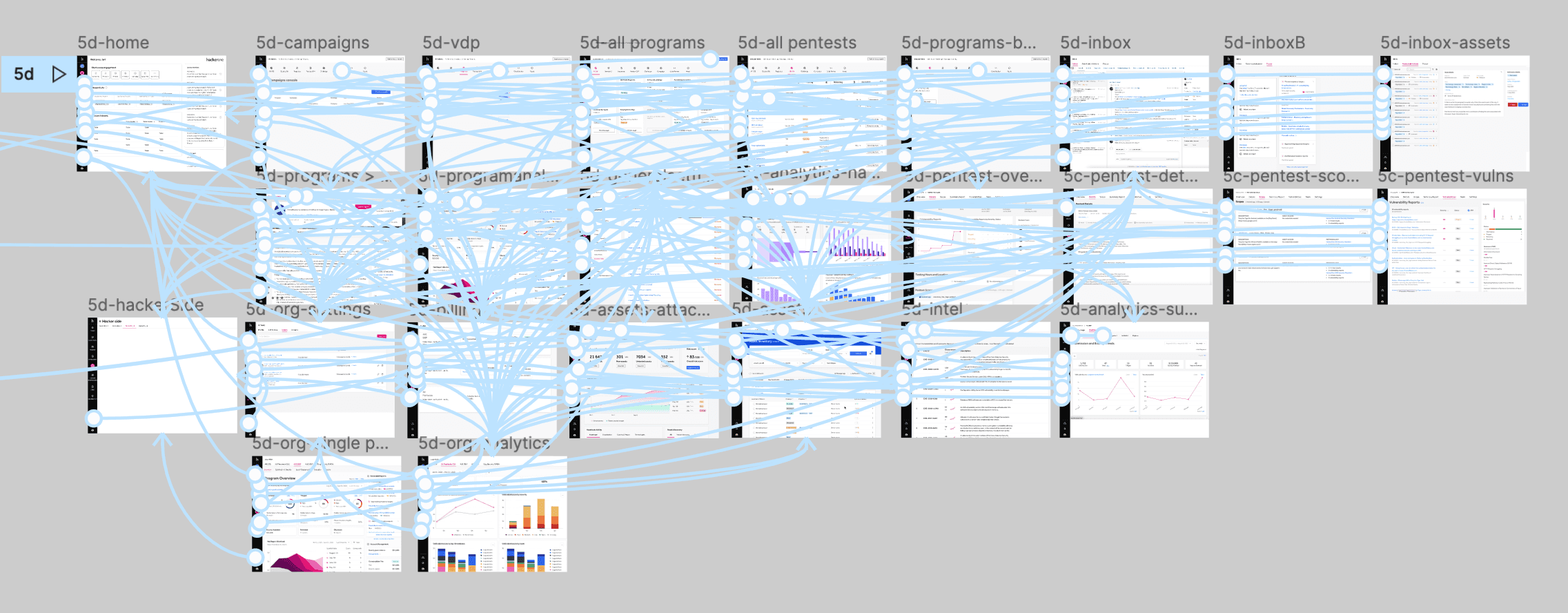
Working with one designer on the team, we made several clickable prototypes, as it was really needed to explore the nuances of using a system so repetitively.

Working with one designer on the team, we made several clickable prototypes, as it was really needed to explore the nuances of using a system so repetitively.

Working with one designer on the team, we made several clickable prototypes, as it was really needed to explore the nuances of using a system so repetitively.

Task completion

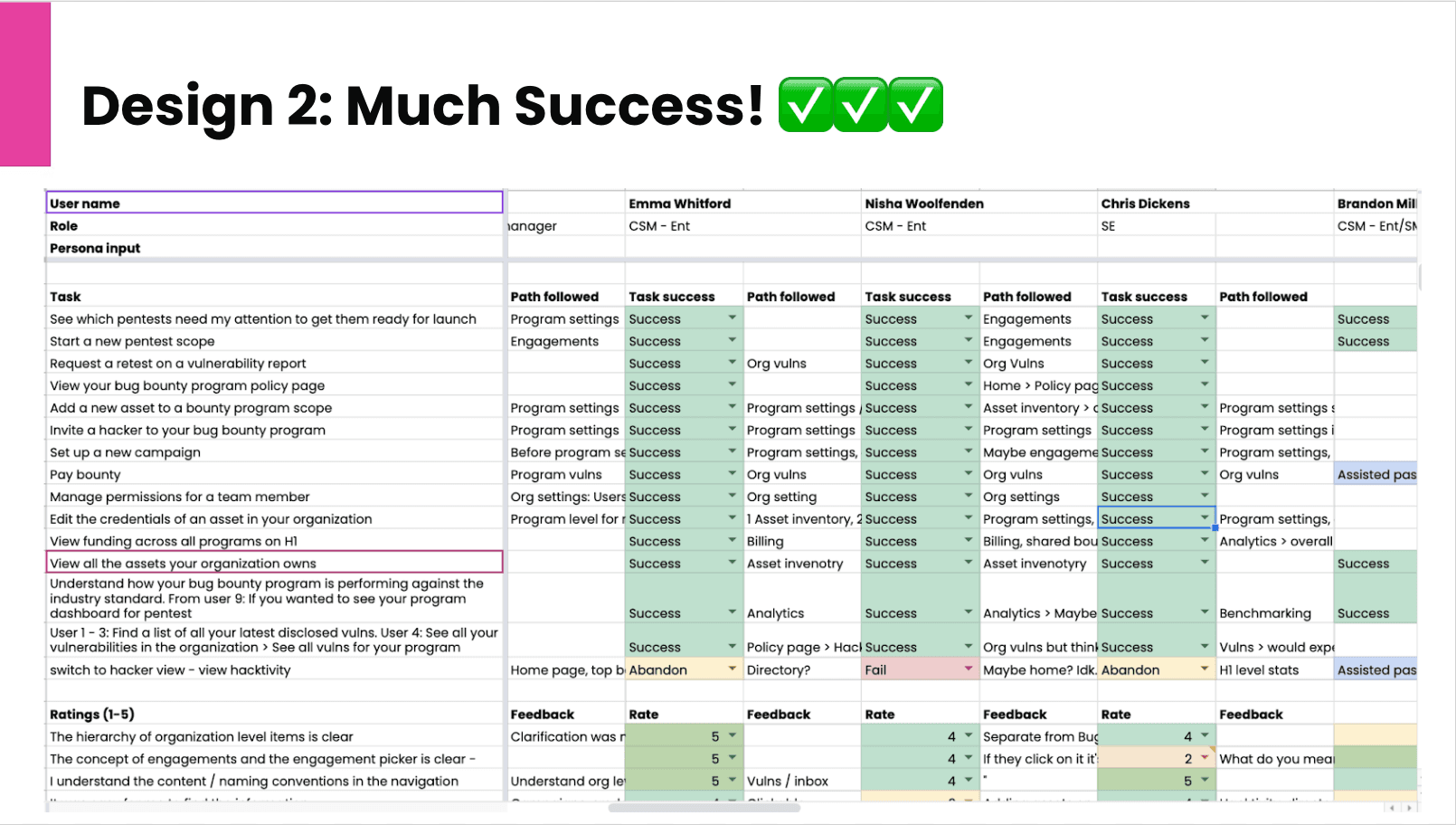
We knew the top tasks that each archetypes cared about most, so we tested our prototypes against those tasks, and against an overall usability score based on ease of use and ease of discovery of all of our products.

We knew the top tasks that each archetypes cared about most, so we tested our prototypes against those tasks, and against an overall usability score based on ease of use and ease of discovery of all of our products.

We knew the top tasks that each archetypes cared about most, so we tested our prototypes against those tasks, and against an overall usability score based on ease of use and ease of discovery of all of our products.

Bringing stakeholders along

We tracked everything in dovetail, relying on interview transcription, then we tagged them all, and bubbled them up to insights that we could easily share with stakeholders.

We tracked everything in dovetail, relying on interview transcription, then we tagged them all, and bubbled them up to insights that we could easily share with stakeholders.

We tracked everything in dovetail, relying on interview transcription, then we tagged them all, and bubbled them up to insights that we could easily share with stakeholders.

Customer Quote

"I remember hearing y'all did pentests a long time ago, but I forgot. Now that I see it, I might consider it." - Enterprise customer

"I remember hearing y'all did pentests a long time ago, but I forgot. Now that I see it, I might consider it." - Enterprise customer

UI exploration

Once we knew we had the right interactions and information architecture, we focused attention exclusively on UI and microinteractions.
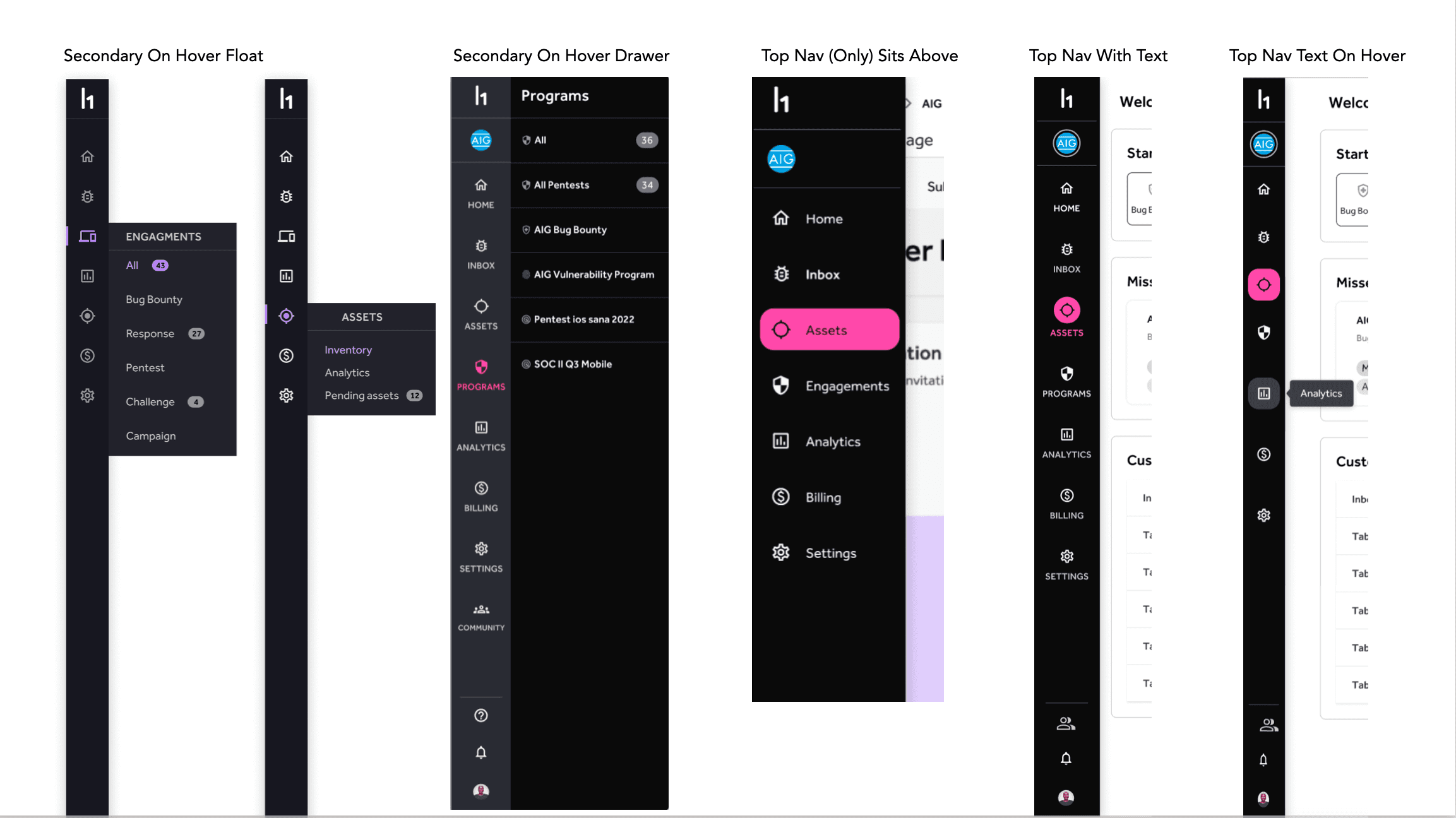
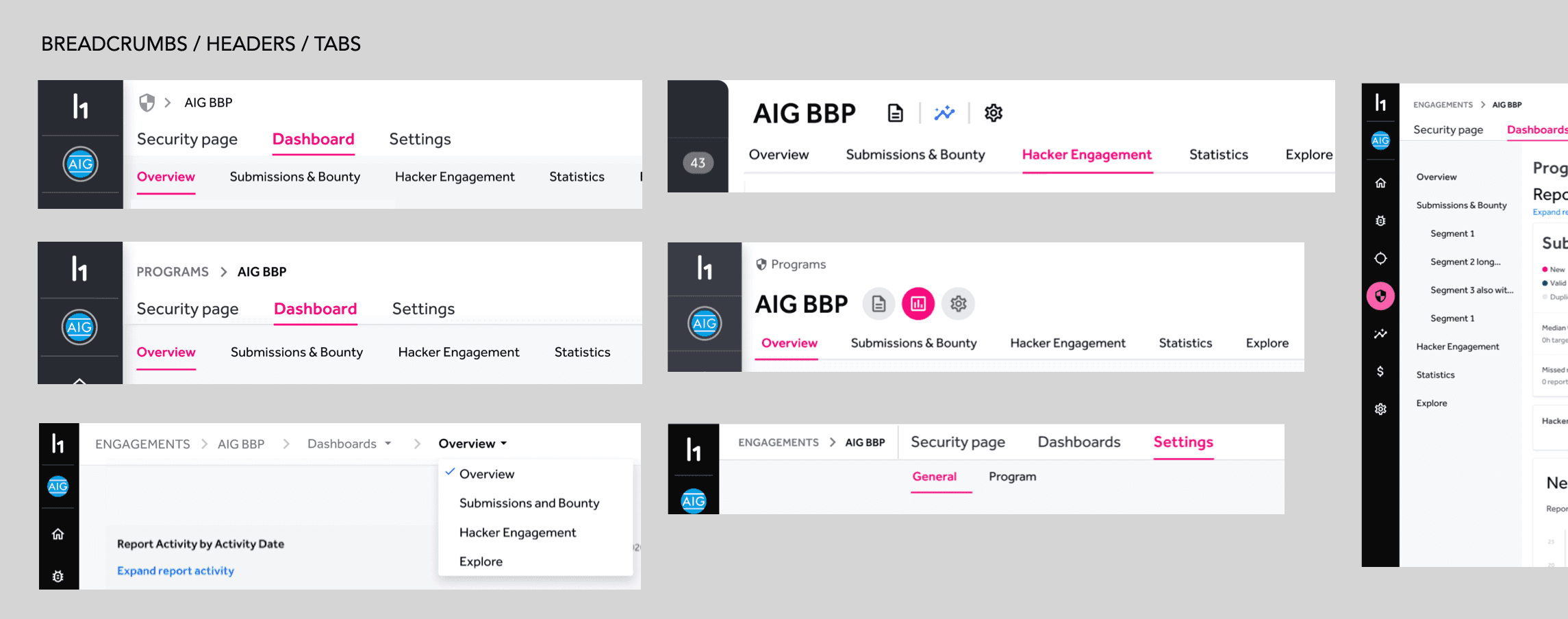
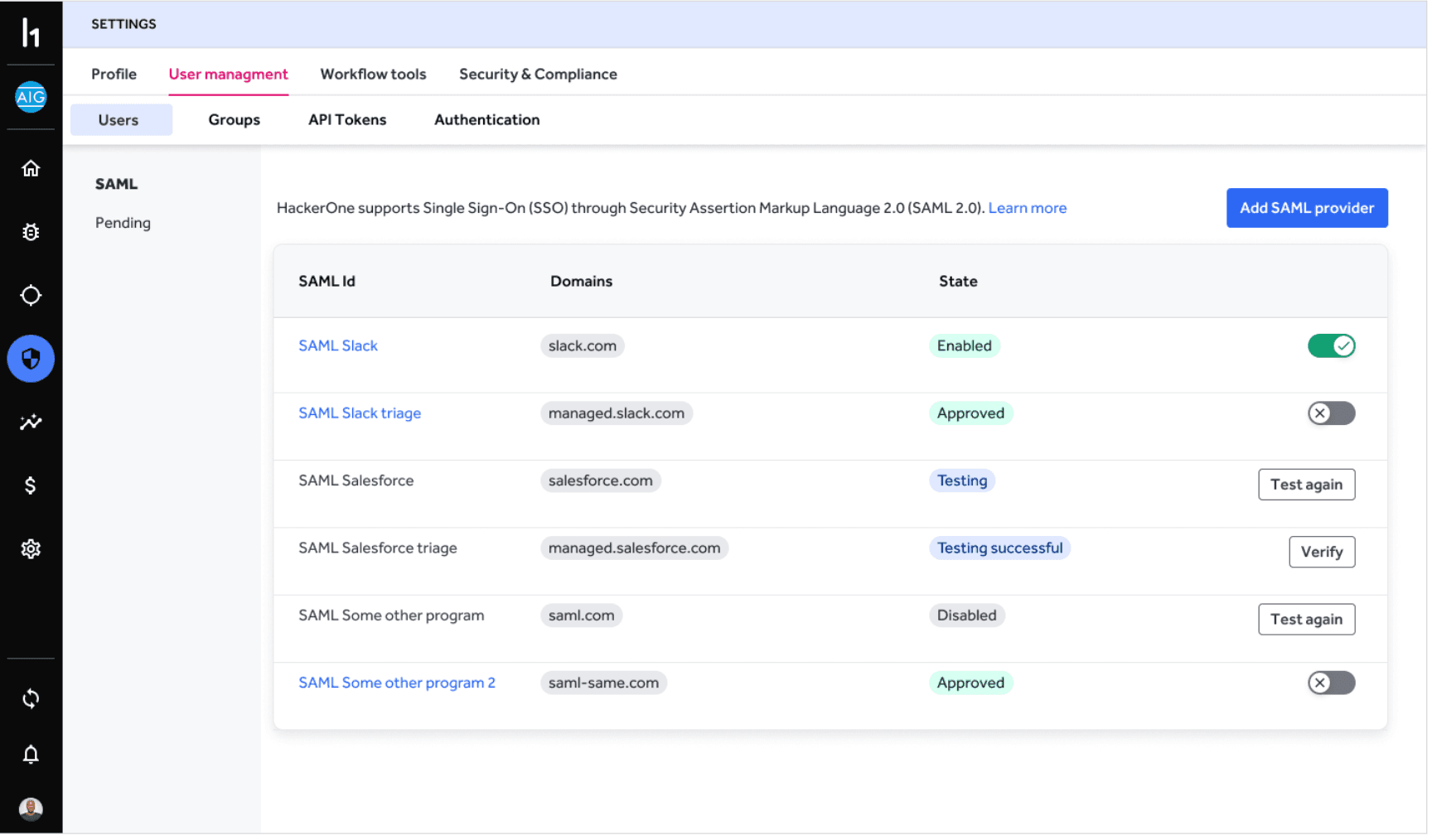
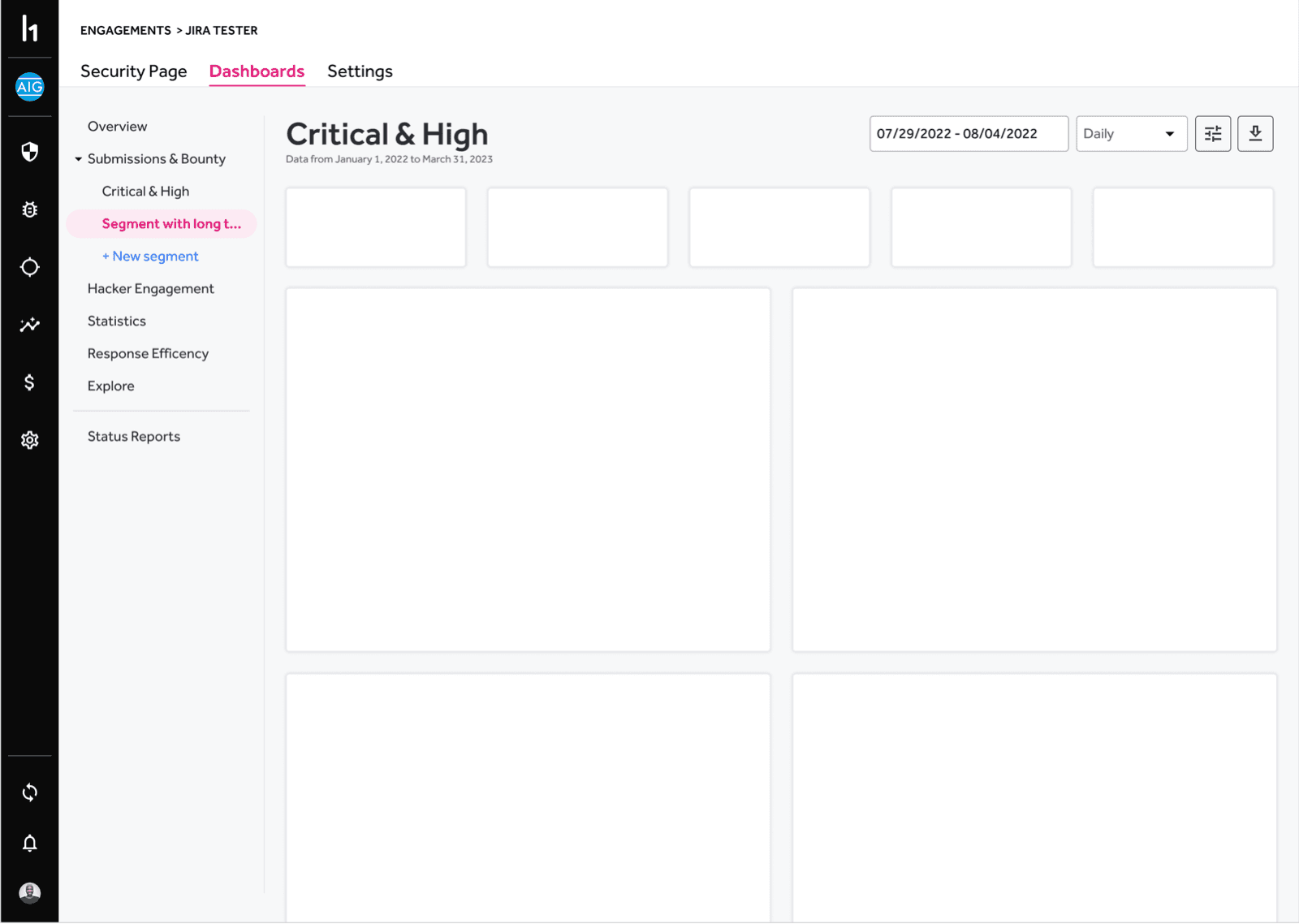
3rd and 4th level navigation


3rd and 4th level navigation

Final UI & handoff

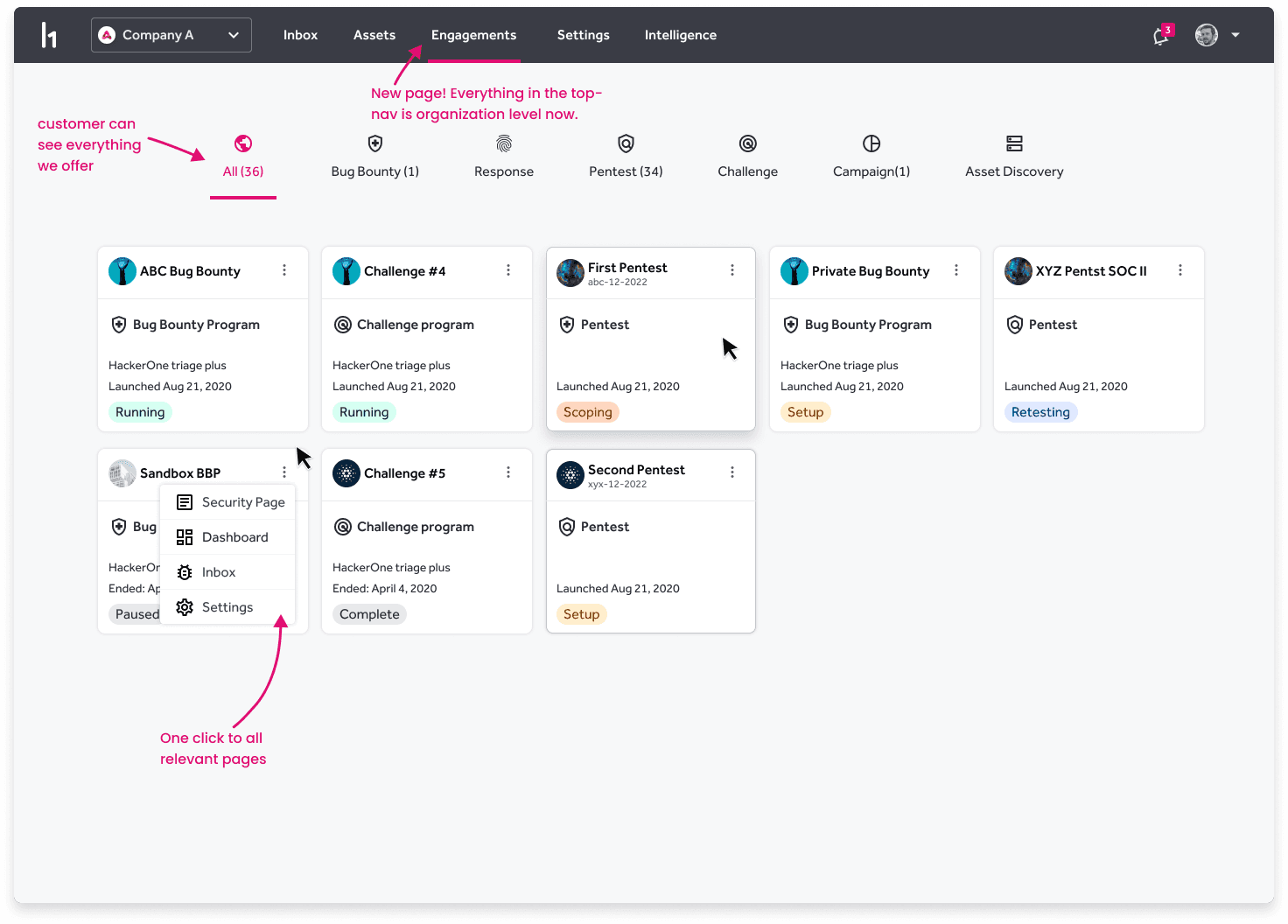
Increasing discoverability of our products

This was the most important net-new page we created during the project. Customers had forgotten that we have all of these ways to engage in our marketplace and this reminds them front and center. We track engagement on this page and every potential CTA within all of the tabs and send that data over to the appropriate sales or marketing teams as warm leads.

Responsive card layout

We iterate several times with customers on the right metadata to put on these cards, to make them scanable and useful. We used real world data of complex customer situations to make sure we got it right.

We iterate several times with customers on the right metadata to put on these cards, to make them scanable and useful. We used real world data of complex customer situations to make sure we got it right.

We iterate several times with customers on the right metadata to put on these cards, to make them scanable and useful. We used real world data of complex customer situations to make sure we got it right.

I worked with each designer to double check their area of focus and have them help co-lead the final specs for icons, wording, and needed functionality for these 3 different versions of the navigation.

Systems Thinking

Systems Thinking

Systems thinking was key, when considering every program type and what 'states' each program type can be in. Again, relying on each designer's expertise for their product area was essential.

Mobile specs

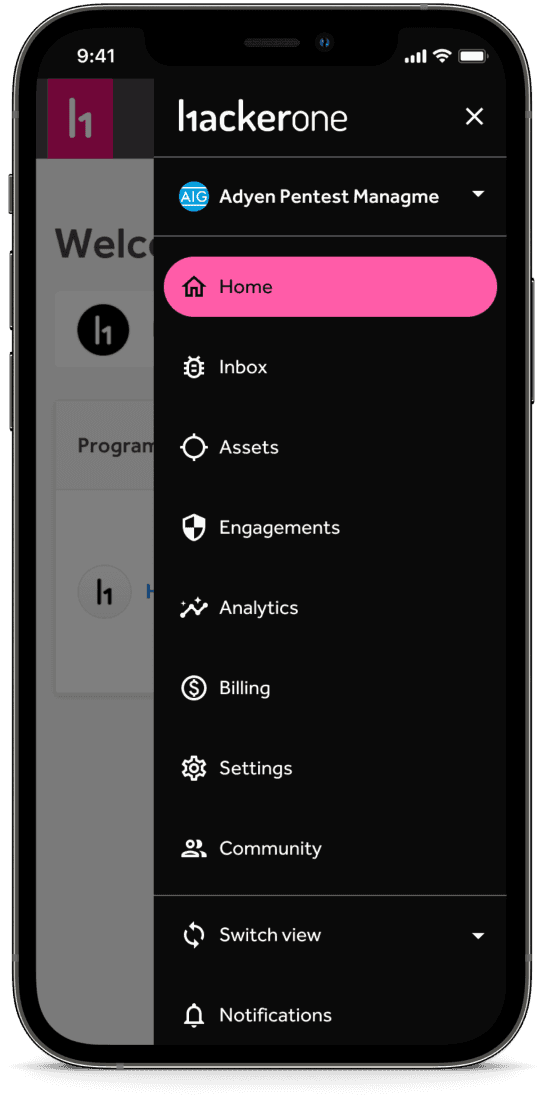
Mobile specs

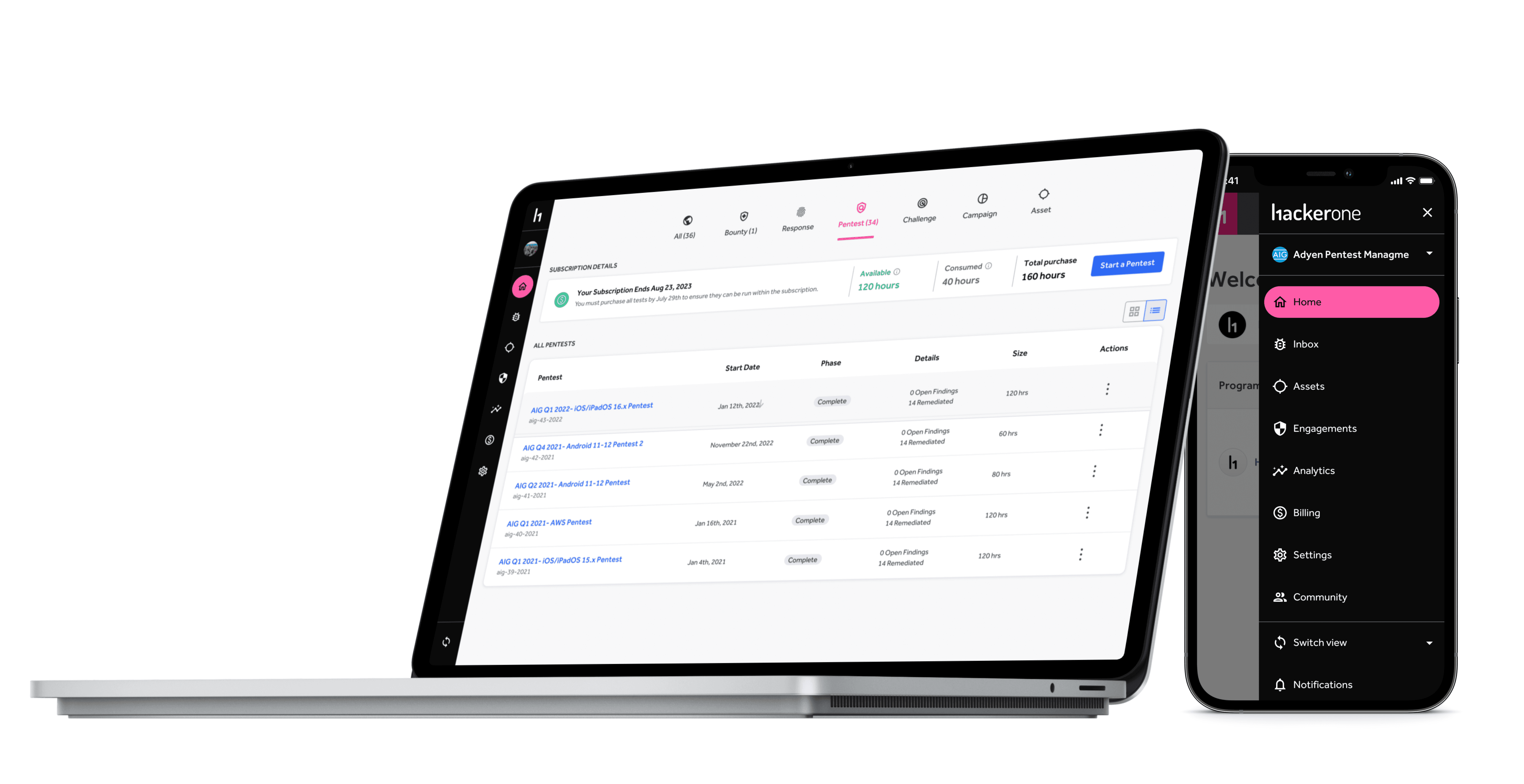
Luckily, the mobile navigation has very few revisions needed. The same hamburger menu (which is activated on medium breakpoint and below) remained. The only difference was the content and page names.

Empty states

Working with each squad's PM or Marketing manager, we decided (when the navigation was still across the top) on copy, CTAs, and how to track each empty state. After the navigation team launched the first iteration of this, we enabled each PM to work on their own empty states and final states on their own, as they knew their users best. We gave them guidelines and suggestions, but ultimately we did not want to impede on their OKRs in flight that might require them slightly changing the UI. Lesson: learn to let go; define the principles, not the rules.

Working with each squad's PM or Marketing manager, we decided (when the navigation was still across the top) on copy, CTAs, and how to track each empty state. After the navigation team launched the first iteration of this, we enabled each PM to work on their own empty states and final states on their own, as they knew their users best. We gave them guidelines and suggestions, but ultimately we did not want to impede on their OKRs in flight that might require them slightly changing the UI. Lesson: learn to let go; define the principles, not the rules.

Working with each squad's PM or Marketing manager, we decided (when the navigation was still across the top) on copy, CTAs, and how to track each empty state. After the navigation team launched the first iteration of this, we enabled each PM to work on their own empty states and final states on their own, as they knew their users best. We gave them guidelines and suggestions, but ultimately we did not want to impede on their OKRs in flight that might require them slightly changing the UI. Lesson: learn to let go; define the principles, not the rules.

Empty states

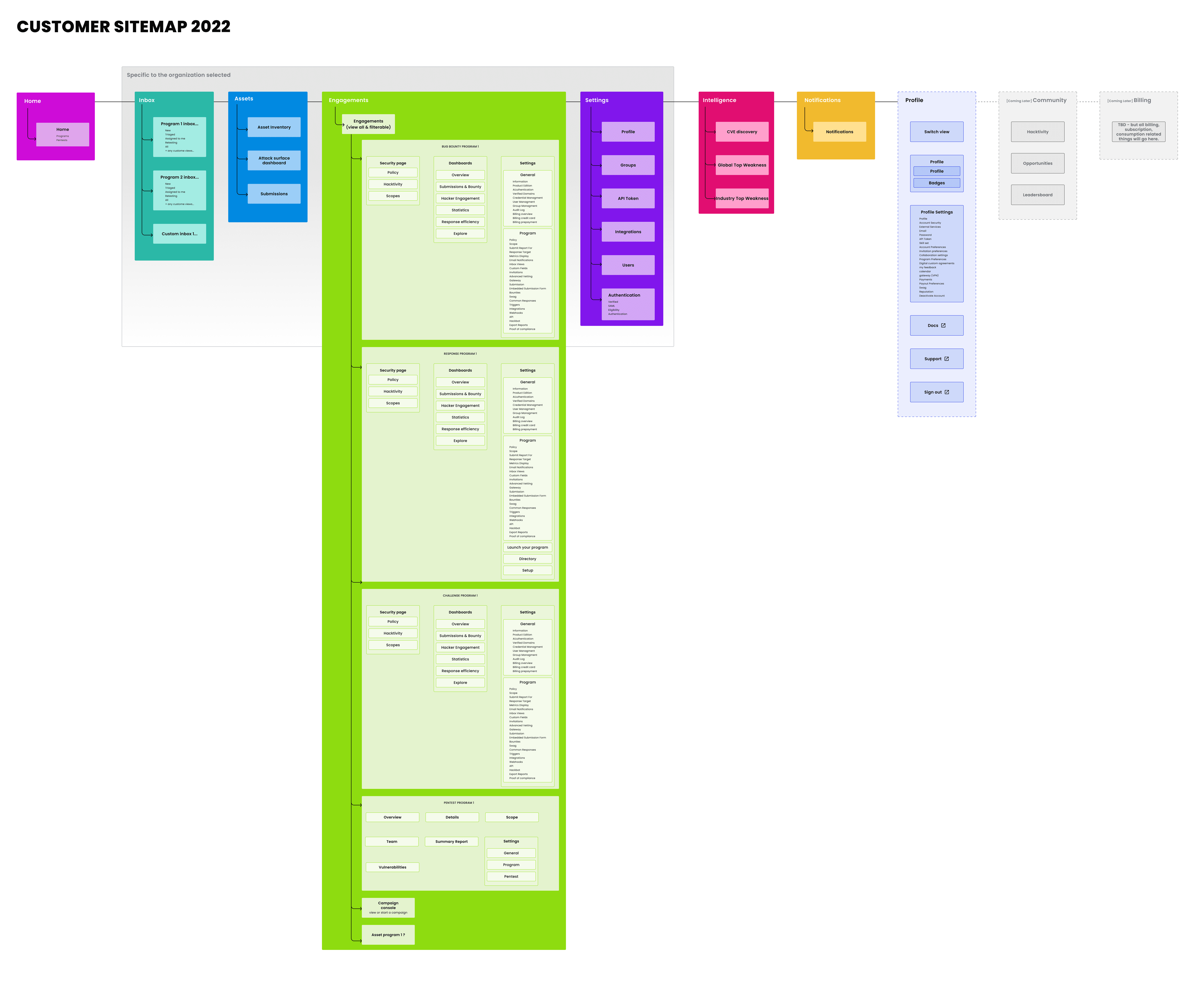
Information Architecture

I wanted the company to be proud of our information architecture. I wanted it to be a thing of beauty that we could all understand and build features accordingly.

Release iteratively

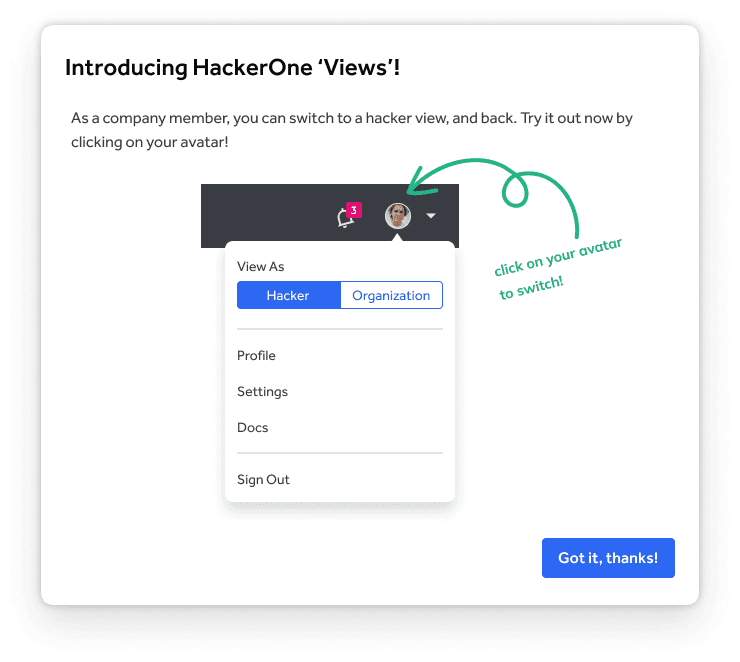
I also PM'ed the entire project, leading 3 engineers in 5 discrete releases.I love announcing releases! And I relied heavily on intercom to help me reach users and get beta users to opt-in.
Measuring success

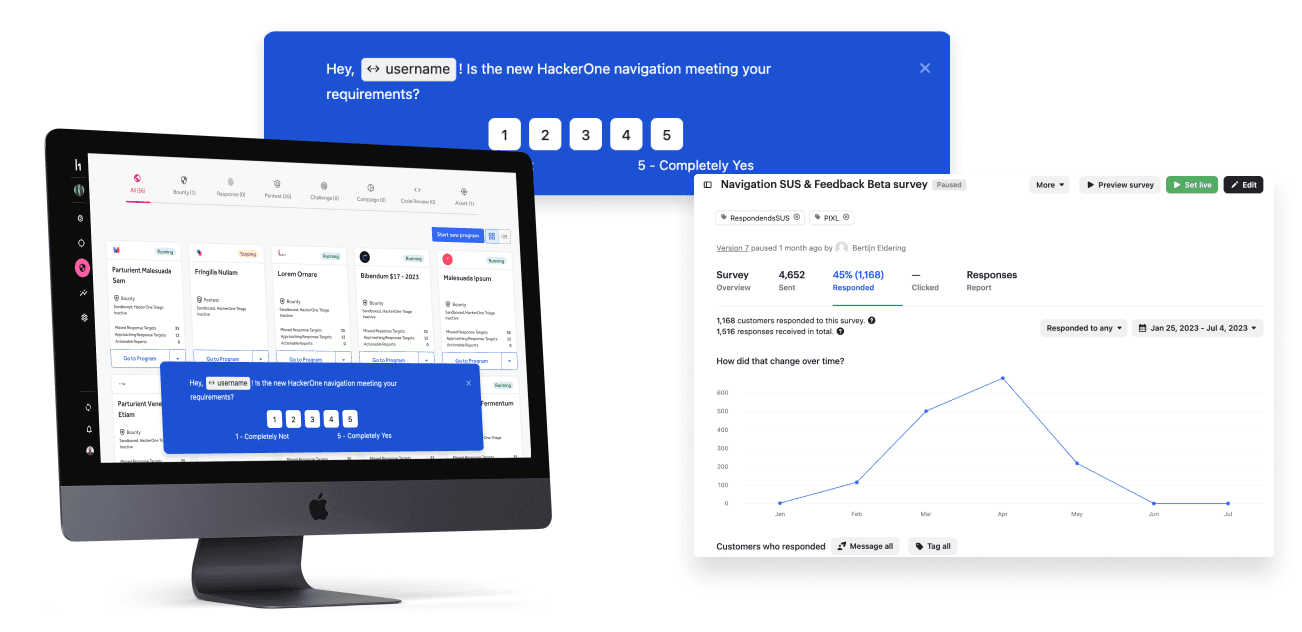
To measure success, we revisited both our initial success criteria and our research insights. Additionally, we waited until we had a system usability scope (SUS) That was above 3.2/5 for both sides of the market, before releasing. In addition to the 2 below, there were innumerable internal successes.
  1. Higher Discoverability of new products

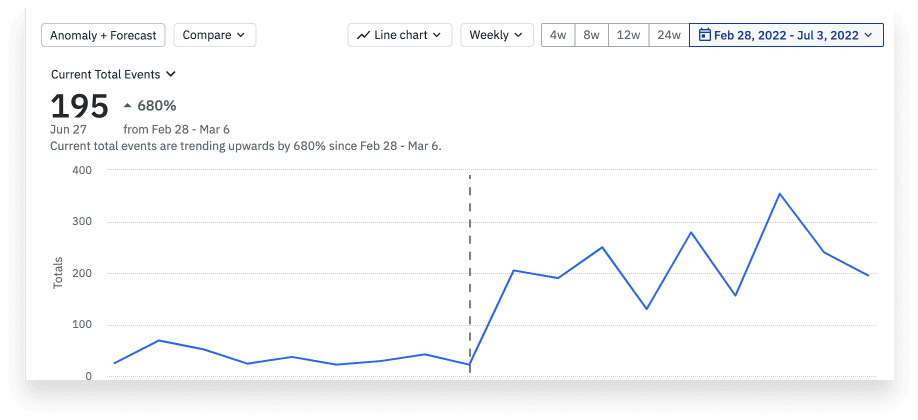
This image showcases a new product that we wanted to heighten discovery on.

  1. Higher Discoverability of new products

This image showcases a new product that we wanted to heighten discovery on.

  1. Higher Discoverability of new products

This image showcases a new product that we wanted to heighten discovery on.

  1. Reduced friction & frustration of top tasks

Image above shows how the new design addressed each research insight and we showed the before and after for each.

  1. Reduced friction & frustration of top tasks

Image above shows how the new design addressed each research insight and we showed the before and after for each.

  1. Reduced friction & frustration of top tasks

Image above shows how the new design addressed each research insight and we showed the before and after for each.

  1. System Usability Score

    Image above shows how the new design addressed each research insight and we showed the before and after for each.

  1. System Usability Score

    Image above shows how the new design addressed each research insight and we showed the before and after for each.

  1. System Usability Score

    Image above shows how the new design addressed each research insight and we showed the before and after for each.

Internal Quote

"The new navigation really opened our eyes to the need for multi-program analytics. It's been a real forcing function." - PM

"The new navigation really opened our eyes to the need for multi-program analytics. It's been a real forcing function." - PM

Lessons learned

  1. Ship incremental value - follow inspired method

  2. Be data driven. You truly cannot please everyone

  3. Learn how to say ‘no, because…’ in empathetic ways

  4. Draw a hard line around the scope of the project

  5. Play to each designer’s strengths, but give them space to learn

  1. Ship incremental value - follow inspired method

  2. Be data driven. You truly cannot please everyone

  3. Learn how to say ‘no, because…’ in empathetic ways

  4. Draw a hard line around the scope of the project

  5. Play to each designer’s strengths, but give them space to learn

  1. Ship incremental value - follow inspired method

  2. Be data driven. You truly cannot please everyone

  3. Learn how to say ‘no, because…’ in empathetic ways

  4. Draw a hard line around the scope of the project

  5. Play to each designer’s strengths, but give them space to learn